2019年4月7日日曜日

画像圧縮ツールの「あっしゅくま」さん

JPEGとPNG画像を圧縮するツールを作ったので紹介します!

その名も「あっしゅくま」さんです。


その前に...! 今まで使っていたツールの紹介をさせていただきたいと思います。
私はJPEGとPNG画像を圧縮するときは、tinypngさんにお世話になっていました。
あの有名なパンダさんです。

何が良いかというと
  • ブラウザ上で使えてドロップ&ドロップだけで簡単
  • 複数枚を一括で圧縮できる
  • 圧縮率も問題なし。PNGは単純に圧縮だけじゃなく減色もしてくれてる。
 といった感じでとても便利です!

ただし、
  • 圧縮率の調整したい(もうちょっと容量を小さくしたいとか)
  • サーバーに画像をアップロードするのでプライバシーが絡む画像は少し抵抗がある
  • 圧縮後の画像の確認したい
みたいなことは弱点になってます。

ということで以上も解決した「あっしゅくま」さんの出番です

あっしゅくまさんは、Web上で簡単に画像の容量を小さくできる画像圧縮ツールです。
おさらいになってしまいますが、特徴を上げると
  • ブラウザ上で使えてドロップ&ドロップだけで簡単
  • 複数枚を一括で圧縮
  • 圧縮率の調整(もう少し品質を犠牲にしてでも小さくしたいとか、その逆も)
  • 圧縮をローカルで行うのでプライバシーが絡む画像や通信容量も安心
  • 保存する前に圧縮後の画像を確認可能
  • 画面幅に合わせたリサイズ
といったところでしょうか。

個人的に推したいところは
  • 圧縮をローカルで行うのでプライバシーが絡む画像も抵抗がいらない
  • 圧縮率も本格性能(mozjpegやoptpngを裏側で使っていてSquoosh同等)

SquooshはGoogleさんがオープンソースで公開している画像圧縮ツールです。
あっしゅくまの圧縮性能はSquoosh同等で、Squooshではできないできない複数枚の一括圧縮もできるので、そういったことが必要であれば是非あっしゅくまをお使いいただければと思います。


フリーなのでお気軽にご活用ください!

あっしゅくまはこちら


2018年2月22日木曜日

ELBの最適なタイムアウト設定

ELBのクラッシックロードバランサのタイムアウトの話
デフォルトで60秒のアイドルタイムアウトが設定されています。

アイドルタイムアウトは、1バイトも送受信が行われないコネクションを何秒で切断するかの設定です。

長いアップロードなどでで継続的にデータが行われる場合は問題ないです。
送受信が行われないときのタイムアウトです。
例えば、サーバーがレスポンスなくタイムアウト値の時間を超えると切断する。

apacheの設定でのタイムアウトの最適化の話

/etc/httpd/conf/httpd.conf

apacheのタイムアウト > ELBのアイドルタイムアウト
基本的にこちらのタイムアウトは、ELBのタイムアウトより大きくするのが良い。

普通は、長い接続がパフォーマンスを悪くするので、
短いタイムアウトを設定するが
ロードバランサーがそこは面倒をみてくれるので短くなくてよい。

むしろロードバランサーはサーバーとの接続を維持したほうが、サーバーとのハンドシェイクなどのコストが減りパフォーマンスが良くなる可能性が高い。

KeepAliveとTimeoutをELBのアイドルタイムアウトの+60sや2倍などにするとよい。

"Timeout"
おすすめの値:120
ELBのidletimeoutが60sの場合
idletimeout+60sとか2倍とかかな

"KeepAlive"
おすすめの値:On

"KeepAliveTimeout"
おすすめの値:120
ELBのidletimeoutが60sの場合
idletimeout+60sとか2倍とかかな

"MaxKeepAliveTimeout"
おすすめの値:100

参考
https://aws.amazon.com/premiumsupport/knowledge-center/apache-backend-elb/

2018年2月21日水曜日

iOSアプリ 端末時間をズラしてるとCookieの有効期限が...!

クッキーってこんな感じやん
 
Set-Cookie: AccessToken=a3fWa039adnaknd; Expires=Wed, 11 Oct 2018 07:28:00 GMT; Secure; HttpOnly

で、有効期限ってWed, 11 Oct 2018 07:28:00 GMTみたいに日付で指定されてるんだけど、この日時ってどこの時間をみてると思う?

この日時ってiOSアプリでは端末の時間で見てるみたいなんだよ。

つまりよ、クッキーの有効期限を10分後にしてて、iPhoneの端末時間を10分以上進めてるとするよ。

そうすると....

一瞬でクッキーが溶けていくーーー(´°̥̥̥̥̥̥̥̥ω°̥̥̥̥̥̥̥̥`)

ちなみに、Androidだとサーバーの時間との相対的な日時で見てくれてるみたいで、クッキーは溶けず、問題にならない。

クライアントによって解釈が違うのよね。
PCのブラウザも解釈がそれぞれ違う模様。

ということでiOSでクッキーを受け取ったら、なんとかしてサーバーとの相対時間で有効期限を設定して保持したい。

iOSでクッキーを管理してるのは、HTTPCookieStorage
HTTPCookieStorageを改造してクッキー保存するときに有効期限を相対的な値に書き換える作戦で行ってみる

CustomHTTPCookieStorage
class CustomHTTPCookieStorage : HTTPCookieStorage {
    
    private let source: HTTPCookieStorage
    
    init(source: HTTPCookieStorage) {
        self.source = source
    }
    
    
    /*!
     @abstract Get all the cookies
     @result An NSArray of NSHTTPCookies
     */
    override var cookies: [HTTPCookie]? {
        get {
            print("CustomHTTPCookieStorage.cookies -> \(self.source.cookies?.count.description ?? "nil")")
            return self.source.cookies
        }
    }
    
    
    /*!
     @method setCookie:
     @abstract Set a cookie
     @discussion The cookie will override an existing cookie with the
     same name, domain and path, if any.
     */
    override func setCookie(_ cookie: HTTPCookie) {
        print("CustomHTTPCookieStorage.setCookie", cookie)
        //super.setCookie(cookie)
        self.source.setCookie(cookie)
    }
    
    
    /*!
     @method deleteCookie:
     @abstract Delete the specified cookie
     */
    override func deleteCookie(_ cookie: HTTPCookie) {
        print("CustomHTTPCookieStorage.deleteCookie", cookie)
        //super.deleteCookie(cookie)
        self.source.deleteCookie(cookie)
    }
    
    
    /*!
     @method removeCookiesSince:
     @abstract Delete all cookies from the cookie storage since the provided date.
     */
    @available(iOS 8.0, *)
    override func removeCookies(since date: Date) {
        print("CustomHTTPCookieStorage.removeCookies", date)
        //super.removeCookies(since: date)
        self.source.removeCookies(since: date)
    }
    
    
    /*!
     @method cookiesForURL:
     @abstract Returns an array of cookies to send to the given URL.
     @param URL The URL for which to get cookies.
     @result an NSArray of NSHTTPCookie objects.
     @discussion The cookie manager examines the cookies it stores and
     includes those which should be sent to the given URL. You can use
     <tt>+[NSCookie requestHeaderFieldsWithCookies:]</tt> to turn this array
     into a set of header fields to add to a request.
     */
    override func cookies(for URL: URL) -> [HTTPCookie]? {
        print("CustomHTTPCookieStorage.cookies for URL \(URL) -> \(self.source.cookies?.count.description ?? "nil")")
        return self.source.cookies(for: URL)
        //return super.cookies(for: URL)
    }
    
    
    /*!
     @method setCookies:forURL:mainDocumentURL:
     @abstract Adds an array cookies to the cookie store, following the
     cookie accept policy.
     @param cookies The cookies to set.
     @param URL The URL from which the cookies were sent.
     @param mainDocumentURL The main document URL to be used as a base for the "same
     domain as main document" policy.
     @discussion For mainDocumentURL, the caller should pass the URL for
     an appropriate main document, if known. For example, when loading
     a web page, the URL of the main html document for the top-level
     frame should be passed. To save cookies based on a set of response
     headers, you can use <tt>+[NSCookie
     cookiesWithResponseHeaderFields:forURL:]</tt> on a header field
     dictionary and then use this method to store the resulting cookies
     in accordance with policy settings.
     */
    override func setCookies(_ cookies: [HTTPCookie], for URL: URL?, mainDocumentURL: URL?) {
        print("CustomHTTPCookieStorage.setCookies cookies for URL mainDocumentURL", cookies, URL ?? "nil", mainDocumentURL ?? "nil")
        //super.setCookies(cookies, for: URL, mainDocumentURL: mainDocumentURL)
        self.source.setCookies(cookies, for: URL, mainDocumentURL: mainDocumentURL)
    }
    
    
    /*!
     @abstract The cookie accept policy preference of the
     receiver.
     */
    override var cookieAcceptPolicy: HTTPCookie.AcceptPolicy {
        get {
            return self.source.cookieAcceptPolicy
        }
        set {
            self.source.cookieAcceptPolicy = newValue
        }
    }
    
    /*!
     @method sortedCookiesUsingDescriptors:
     @abstract Returns an array of all cookies in the store, sorted according to the key value and sorting direction of the NSSortDescriptors specified in the parameter.
     @param sortOrder an array of NSSortDescriptors which represent the preferred sort order of the resulting array.
     @discussion proper sorting of cookies may require extensive string conversion, which can be avoided by allowing the system to perform the sorting.  This API is to be preferred over the more generic -[NSHTTPCookieStorage cookies] API, if sorting is going to be performed.
     */
    @available(iOS 5.0, *)
    override func sortedCookies(using sortOrder: [NSSortDescriptor]) -> [HTTPCookie] {
        print("CustomHTTPCookieStorage.sortedCookies", sortOrder)
        return self.source.sortedCookies(using: sortOrder)
        //return super.sortedCookies(using: sortOrder)
    }
    
}

はい、やってみましたが、
HTTPCookieStorageを差し替えた途端、呼ばれなくなりました笑

次の作戦。
クッキーを受け取ったのを監視して、受け取った瞬間に有効期限を書き換える。

NotificationCenter.default.addObserver(
    self, selector: #selector(handleCookieManagerCookiesChanged(_:)),
       name: NSNotification.Name.NSHTTPCookieManagerCookiesChanged,
       object: nil)

@objc private func handleCookieManagerCookiesChanged (_ notification: Notification) {
        print("handleCookieManagerCookiesChanged", notification)
        guard let cs: HTTPCookieStorage = notification.object as? HTTPCookieStorage else {
            return
        }
        guard cs === self.manager.session.configuration.httpCookieStorage else {
            print("Different httpCookieStorage")
            return
        }
        self.adjustCookieExpires()
    }
extension A {
    func adjustCookieExpires () {
        guard let cs: HTTPCookieStorage = self.manager.session.configuration.httpCookieStorage else {
            return
        }
        adjustCookieExpires(cs: cs)
    }

    private func adjustCookieExpires (cs: HTTPCookieStorage) {
        print("adjustCookieExpires")
        for cookie : HTTPCookie in cs.cookies ?? [] {
            guard var properties: [HTTPCookiePropertyKey: Any] = cookie.properties else {
                print("cookie properties is nil")
                continue
            }
            var modifiled: Bool = false
            print("cookie properties = \(properties)")
            let cookieComment: String? = properties[HTTPCookiePropertyKey.comment] as? String
            print("cookie cookieComment = \(cookieComment ?? "nil")")
            if let expires: Date = properties[HTTPCookiePropertyKey.expires] as? Date {
                print("cookie expires = \(expires)")
                let adjusted: Bool = cookieComment?.contains(cookieExpiresAdjestedComment) ?? false
                if !adjusted {
                    properties[HTTPCookiePropertyKey.expires] = expires.addingTimeInterval(60 * 60 * 24 * 30)
                    let newComment: String
                    if let oldComment: String = properties[HTTPCookiePropertyKey.comment] as? String {
                        newComment = oldComment + " " + cookieExpiresAdjestedComment
                    } else {
                        newComment = cookieExpiresAdjestedComment
                    }
                    properties[HTTPCookiePropertyKey.comment] = newComment
                    modifiled = true
                }
            }
            guard modifiled else {
                print("cookie not modifiled")
                continue
            }
            guard let newCookie: HTTPCookie = HTTPCookie(properties: properties) else {
                print("cookie newCookie is nil")
                continue
            }
            print("newCookie = \(newCookie)")
            cs.setCookie(newCookie)
        }
    }
}

あ、、、動かしてみてから気づく。

HTTPCookieStorageに入った瞬間消えてるやん....

あきらめて、サーバー側でクッキーの有効期限をそもそも伸ばしました。

2018年2月17日土曜日

GAE x Spring Boot で Spring Security が上手く動かぬ

Google App Engine Java8 Standard x Spring Boot x Spring Security

同じ現象で困ってる方の助けになれば幸いでございます!
と、ほかの解決方法探し中...!

構成
  • Google App Engine Java 8 Standard 
  • Spring Boot 1.5.9 
  • Spring Security 
  • Kotlin
  • Gradle 

 Devローカルサーバーならしっかり動いている。

 本番環境で問題が発生する。

 デプロイしてちゃんと起動はする。
 しかし、Spring Securityを使ったフォームのログインで問題。

 ログインボタンを押した後、
なにごとも無かったかのように、
ログイン画面に戻る笑

どうやらGAEのセッションハンドラを使うと上手く動かぬもよう。

GAEのセッションハンドラを使わず、
GAE内のmemcacheもしくはDatastoreを使って
自前のセッションハンドラにします。

DatastoreSessionRepository
package com.hometest.libs.appengine.session;

import com.google.appengine.api.datastore.*
import org.springframework.session.MapSession
import org.springframework.session.SessionRepository
import org.springframework.stereotype.Component
import java.io.*
import java.util.logging.Logger

@Component
class DatastoreSessionRepository(private val datastoreService: DatastoreService) : SessionRepository<MapSession> {
    private val logger = Logger.getLogger(javaClass.simpleName)
    private val maxInactiveIntervalInSeconds: Int = 3600
    private val kind = "Session"
    private val propertyName = "serialized"

    override fun createSession(): MapSession = MapSession().also { session ->
        session.maxInactiveIntervalInSeconds = maxInactiveIntervalInSeconds
        logger.info { "createSession() = ${session.id}" }
    }

    override fun save(session: MapSession) {
        logger.info { "save(${session.id}) with expiration ${session.maxInactiveIntervalInSeconds}" }

        ByteArrayOutputStream().use { byteArray ->
            ObjectOutputStream(byteArray).use { outStream ->
                outStream.writeObject(session)
            }
            datastoreService.put(Entity(kind, session.id).apply {
                // TODO: Check byteArray size. This byte array can be no bigger than 1MB.
                // https://cloud.google.com/appengine/docs/standard/java/javadoc/com/google/appengine/api/datastore/Blob
                setProperty(propertyName, Blob(byteArray.toByteArray()))
            })
        }
    }

    override fun getSession(id: String): MapSession? {
        val blob: Blob? = try {
            datastoreService.get(KeyFactory.createKey(kind, id))
                    .getProperty(propertyName) as? Blob
        } catch (_: EntityNotFoundException) {
            null
        }
        val session: MapSession? = blob?.let {
            ByteArrayInputStream(it.bytes).use { byteArray ->
                ObjectInputStream(byteArray).use { inStream ->
                    (inStream.readObject() as MapSession).also { session ->
                        session.lastAccessedTime = System.currentTimeMillis()
                    }
                }
            }
        }
        logger.info { "getSession($id) = ${session?.id}" }
        return session
    }

    override fun delete(id: String) {
        logger.info { "delete($id)" }
        datastoreService.delete(KeyFactory.createKey(kind, id))
    }
}
MemcacheSessionRepository
package com.hometest.libs.appengine.session;

import com.google.appengine.api.memcache.Expiration
import com.google.appengine.api.memcache.MemcacheService
import org.springframework.session.MapSession
import org.springframework.session.SessionRepository
import org.springframework.stereotype.Component
import java.util.logging.Logger

@Component
class MemcacheSessionRepository(private val memcacheService: MemcacheService) : SessionRepository<MapSession> {
    private val logger = Logger.getLogger(javaClass.simpleName)
    private val maxInactiveIntervalInSeconds: Int = 3600

    override fun createSession() = MapSession().also { session ->
        session.maxInactiveIntervalInSeconds = maxInactiveIntervalInSeconds
        logger.info { "createSession() = ${session.id}" }
    }

    override fun save(session: MapSession) {
        logger.info { "save(${session.id}) with expiration ${session.maxInactiveIntervalInSeconds}" }
        memcacheService.put(session.id, session, Expiration.byDeltaSeconds(session.maxInactiveIntervalInSeconds))
    }

    override fun getSession(id: String): MapSession? =
            (memcacheService.get(id) as? MapSession)?.also { session ->
                session.lastAccessedTime = System.currentTimeMillis()
            }.also { session ->
                        logger.info { "getSession($id) = ${session?.id}" }
                    }

    override fun delete(id: String) {
        logger.info { "delete($id)" }
        memcacheService.delete(id)
    }
}
AppengineConfiguration
package com.hometest.config;

import com.google.appengine.api.datastore.DatastoreService
import com.google.appengine.api.datastore.DatastoreServiceFactory
import com.google.appengine.api.memcache.MemcacheService
import com.google.appengine.api.memcache.MemcacheServiceFactory
import com.hometest.libs.appengine.session.MemcacheSessionRepository
import org.springframework.context.annotation.Bean
import org.springframework.context.annotation.Configuration
import org.springframework.session.MapSession
import org.springframework.session.web.http.SessionRepositoryFilter

@Configuration
class AppengineConfiguration {

    // AppEngine Session
    @Bean
    fun memcacheService(): MemcacheService {
        return MemcacheServiceFactory.getMemcacheService()
    }

    @Bean
    fun datastoreService(): DatastoreService {
        return DatastoreServiceFactory.getDatastoreService()
    }

    @Bean
    fun springSessionRepositoryFilter(sessionRepository: MemcacheSessionRepository): SessionRepositoryFilter<MapSession> {
        return SessionRepositoryFilter(sessionRepository)
    }
//    @Bean
//    fun springSessionRepositoryFilter(sessionRepository: DatastoreSessionRepository): SessionRepositoryFilter<MapSession> {
//        return SessionRepositoryFilter(sessionRepository)
//    }

}

しかし、今度はローカルサーバーで認証をかけてないページでセッションクッキーが吐かれなくなった(;´Д`)

こちらは未解決。

一旦本番では問題なくクッキー履かれていいるのでまた今度。

もし解決方法見つけたら、く、ください !

参考

2013年8月11日日曜日

JavaのJsonライブラリ


速くて、変換も簡単という噂のJsonを扱うライブラリだそうです!
その名もJackson!!

http://wiki.fasterxml.com/JacksonDownload

2013年8月10日土曜日

ActionBarSherlockが便利なん!

ActionBarSherlockが便利です!
ActionBarSherlockてのは古いOSでも4.0とかみたいなActionBarありのUI作れてしまうの!
作者さんに感謝過ぎます。


↓のActionBarの部分はSherlockです!


2013年4月16日火曜日

ボイスレコーダー公開しました!

「Chiee! 音声レコーダー」をGoolePlayで公開しました!

新しくボイスレコーダを作りました。Androidアプリです。
Androidのボイスレコーダの定番を目指したい(>_<) (←あくまで願望


当然、録音できます。
加えて、再生速度変えたり、逆再生できます。
使えるサンプリングレートは端末に依存するでしょう。

とりあえず、プロトタイプって感じですね。

まだ機能少ないですし。。。
地道に機能増やしてきます。

お歌の練習とか、会議の録音とか。
逆再生で逆さ言葉の実験したり、いろいろ使えるかと。

それと、ごめんなさい。
いろいろ、ごにょごにょしてるうちに、
デザインがごちゃごちゃしてきちゃいました!!!

どうしましょうか!


プログラミング的なことをいうと、録音はAudioRecord、再生はAudioTrackを使用して、
PCM的なことしてます。
なので保存ファイルはwavです。


2013年4月5日金曜日

試作ボイスレコーダー

あまりネタが思いつかないから、
とりあえず、もうすぐアップロード予定のAndroidのボイスレコーダアプリを紹介!


な!な!な!なんと、録音した音声は逆再生したり倍速再生できちゃいます!
画像は作ってる途中のものだから、公開するときには変わってるかも。


2013年4月3日水曜日

Googleのエイプリルフール


いろいろ冗談が過ぎますw
本気でPVとかも作ってる。

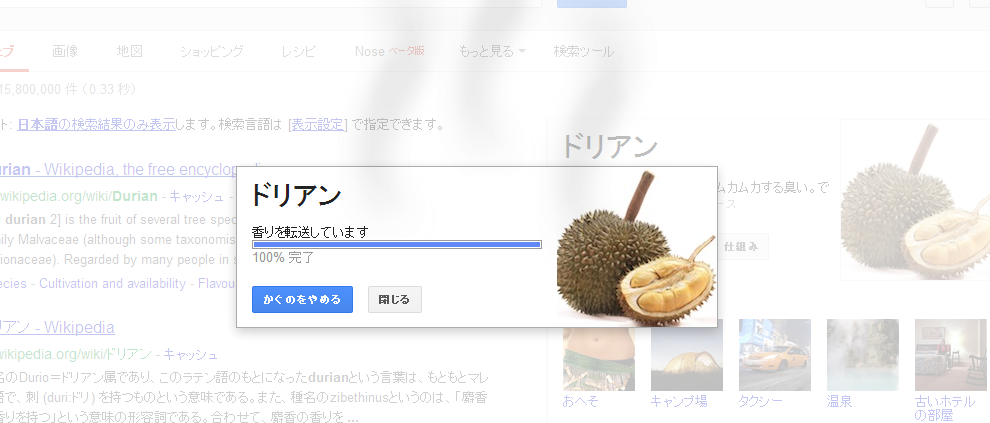
冗談という意味ではNoseがおもしろかったですw

2013年3月30日土曜日

SurfaceViewが何故か無駄に遅い

SurfaceViewが何故か無駄に遅い!

どういうこと!?

速いものだと思い込んでたんだけど・・・

invalidateで来たonDraw内でdrawLinesで描画してると1msもかからない。
だけど、独自スレッド内でlockCanvasしたCanvasでdrawLinesやると500msかかってる・・・・!!

ん!?どういうことなの!?

TextureViewでもやってみたけど同じ感じ。
GalaxyNexusのせいだと思ってジンジャーブレッド端末でもやってみたが同じ。

本当にどういうことなの!?

解決したら、また追記しよう・・・。

ぜんぜん解決への道がみつからないのだけどね・・・。


2013年3月28日木曜日

Google翻訳がオフラインに。

Android Google 翻訳 2.6 アップデート
• オフライン言語パック(Android2.3以降で使用可)を使用してネットワークに接続せずに翻訳します。
• カメラを使用して中国語、日本語、韓国語の縦書きテキストを翻訳します。

・・・ということで、
ネットレスな場で使えてしまう!
海外で大活躍ではないか!

ワクワクしながら言語パックインストールしてみて、ネットワーク切って、翻訳してみた!しっかりと翻訳してくれました!

縦書きも読み取ってくれた!


オフラインで使うには言語パックをインストールします!
[メニュー]→[オフラインの言語]


インストール完了!


これでオフラインで翻訳できてしまいます!

素晴らしすぎます。

ちなみに見てのとおり100MBとかそういう大きさなので。
1つ3分くらいかかるかな?

2013年3月27日水曜日

JellyBeanの連打のアレ


Android毎度のバージョン毎のあのAndroidチームのお遊び心♪

[設定]→[端末情報]→[Androidバージョン]

でAndroidのバージョンを連打!連打!連打!


すると、Jelly Beanのアイコンがでます!
ジンジャーブレッドは風刺な感じでしたが、
JellyBeanは、かわいらしいなにか!(ゼリービーンのお菓子に顔)


さらに長押ししてみると・・・


ソラマメ型の砂糖菓子があちこち飛び回ります!動きます!飛び回ります!

さらにいろんな方向に投げられますw

顔のついたJellyBeanのアイコンや違うお菓子も紛れている!


ちなみに、横画面にも対応w

試しに全部のお菓子を画面外に投げてみましたが、
また次々と復活してきて、何も起こりませんでした。

(そんなことで遊んでるなよ!ってツッコミはどうぞ入れてくださいw)

気づいてないだけで、またオマケ機能があったりして。


こういうGoogleプログラマさんの遊び心は好きです。


2013年3月26日火曜日

JellyBeanの暗黙的Intent

Jelly Beanでは、暗黙的Intentのアクティビティの表示はグリッド表示になってますね。

今まではリスト表示だったから、いきなりだと違和感だよね。
でも、スクロールの距離が短くなるからこっちのほうが視認性がよいのかな?

「常にこのアプリを使用する」的なチェックボックスは「常時」ってボタンに。
アプリを選択して起動するときは「1回のみ」ってボタン。

なんか「1回のみ」っていう日本語訳が気に入ってない私。

「今回のみ」とか「起動」とかのほうがいいですね。


2013年3月22日金曜日

uses-permissionとuses-featureに気をつけよ!

<uses-permission>と<uses-feature>に気をつけよ!

なぜかって言うと、<uses-feature>って、勝手に付与される場合があるからです!

例えばBluetooth使いたいから以下のパーミッションつけるとすると、


<uses-permission android:name="android.permission.BLUETOOTH" />

<uses-permission android:name="android.permission.BLUETOOTH_ADMIN" />


↓が自動的に付与されます!


<uses-feature android:name="android.hardware.bluetooth"/>


Bluetoothを使いますよー!Bluetooth使えない端末は門前払いします!
ってな感じ。

Bluetoothを使う前提のアプリならいいけど、Bluetooth使える場合だけ使いたいです!ってときには困っちゃいます。

なので、Bluetoothは必ずは必要としませんよー!って書いてあげましょう。


<uses-feature android:name="android.hardware.bluetooth" android:required="false" />


そうしないと、意味もなく使えない端末がでてきてしまう。。


久しぶりにAndroidでOpenCV使おうと思ったのだが・・・

久しぶりにAndroidでOpenCV使おうと思ったのだが・・・ 
適当に.jarファイルをビルドパスにいれたり、
Javaのビルドパスにプロジェクトいれたりして、 何で動かないんだ???って。


 E/AndroidRuntime(4306): java.lang.UnsatisfiedLinkError: Native method not found: org.opencv.highgui.Highgui.imread_1:(Ljava/lang/String;)J


 E/AndroidRuntime(5154): java.lang.NoClassDefFoundError: org.opencv.highgui.Highgui


やり方が違うのを忘れてました。


設定はこっちでしたね。

[プロジェクトのプロパティ]→[Android]→[ライブラリー]→[追加]

ライブラリーって項目が下のほうに隠れてるので、見落とし。

よかったよかった。。。


まぁ、これこれで忘れてだけだし、動いたからいいのだが、
バージョンアップしてたOpenCV使う落としたら、


 E/AndroidRuntime(8230): java.lang.ExceptionInInitializerError

 E/AndroidRuntime(11556): java.lang.NoClassDefFoundError: org.opencv.android.OpenCVLoader


なにやら初期化が必要なようで、
OpenCVLoaderの初期化するやつをサンプルみて加えたけど、

それでも動かないよ・・・。
GooglePlayのOpenCVMnagerも入れてるよ。。。


仕方ないので、バージョン2.4.3は保留で2.4.1を組み込んでみてる。

なんで動かないんでしょうね。エラー吐かないで急に落ちるんだけど・・・。

まぁ、後で解決します。

2013年3月13日水曜日

縦スクロールバーさんをどかしましょう。

SyntaxHighlighterで縦スクロールバーの必要性がないと思った。
とういうわけで、消しましょうか。


 <link href='http://alexgorbatchev.com/pub/sh/current/styles/shCore.css' rel='stylesheet' type='text/css'/>
 <link href='http://alexgorbatchev.com/pub/sh/current/styles/shThemeEclipse.css' rel='stylesheet' type='text/css'/>
 <style>
 <!--
  .syntaxhighlighter {
    overflow-y: hidden !important;
    padding: 1px !important;
  }
 -->
 </style>
 <script src='http://alexgorbatchev.com/pub/sh/current/scripts/shCore.js' type='text/javascript'/>
 <script src='http://alexgorbatchev.com/pub/sh/current/scripts/shBrushAS3.js' type='text/javascript'/>
 <script src='http://alexgorbatchev.com/pub/sh/current/scripts/shBrushBash.js' type='text/javascript'/>
 <script src='http://alexgorbatchev.com/pub/sh/current/scripts/shBrushCSharp.js' type='text/javascript'/>
 <script src='http://alexgorbatchev.com/pub/sh/current/scripts/shBrushCpp.js' type='text/javascript'/>
 <script src='http://alexgorbatchev.com/pub/sh/current/scripts/shBrushCss.js' type='text/javascript'/>
 <script src='http://alexgorbatchev.com/pub/sh/current/scripts/shBrushJScript.js' type='text/javascript'/>
 <script src='http://alexgorbatchev.com/pub/sh/current/scripts/shBrushJava.js' type='text/javascript'/>
 <script src='http://alexgorbatchev.com/pub/sh/current/scripts/shBrushJavaFX.js' type='text/javascript'/>
 <script src='http://alexgorbatchev.com/pub/sh/current/scripts/shBrushPerl.js' type='text/javascript'/>
 <script src='http://alexgorbatchev.com/pub/sh/current/scripts/shBrushPhp.js' type='text/javascript'/>
 <script src='http://alexgorbatchev.com/pub/sh/current/scripts/shBrushPlain.js' type='text/javascript'/>
 <script src='http://alexgorbatchev.com/pub/sh/current/scripts/shBrushPython.js' type='text/javascript'/>
 <script src='http://alexgorbatchev.com/pub/sh/current/scripts/shBrushRuby.js' type='text/javascript'/>
 <script src='http://alexgorbatchev.com/pub/sh/current/scripts/shBrushSql.js' type='text/javascript'/>
 <script src='http://alexgorbatchev.com/pub/sh/current/scripts/shBrushVb.js' type='text/javascript'/>
 <script src='http://alexgorbatchev.com/pub/sh/current/scripts/shBrushXml.js' type='text/javascript'/>
 <script language='javascript' type='text/javascript'>
  SyntaxHighlighter.config.bloggerMode = true;
  SyntaxHighlighter.all();
 </script>

ミニブラウザでyoutube見ると画面真っ暗?

前書いたやつの転載。


ICSでミニブラウザ使って、
Youtube見に行くと


てな感じで真っ暗で音だけ聞こえるみたいで、残念な感じになってしまう。。。
ぐはぁ。

GBのときと違ってWebView内で動画再生しようとしてるみたいです。

そんなときは、↓


赤丸のフルスクリーンボタン?みたいのを押していただけると、
動画をフローティングさせますよ!!


Chiee!ミニブラウザ


Androidのアニメーション。くるくるっと。

Androidのアニメーション。


<?xml version="1.0" encoding="utf-8"?>
<set xmlns:android="http://schemas.android.com/apk/res/android"
        android:background="#ff000000" android:shareInterpolator="false" android:zAdjustment="top">
        
    <translate 
        android:fromXDelta="0%" android:toXDelta="0%"
        android:fromYDelta="0%" android:toYDelta="50%"
        android:fillEnabled="true" android:fillBefore="true" android:fillAfter="true"
        android:startOffset="0" android:duration="100"
        />    
         
    <scale android:fromXScale="1.0" android:toXScale="0.0"
            android:fromYScale="1.0" android:toYScale="0.0"
            android:pivotX="50%" android:pivotY="50%"
            android:fillEnabled="true" android:fillBefore="true" android:fillAfter="true"
            android:startOffset="100"
            android:duration="1000" />
    
    <alpha android:fromAlpha="1.0" android:toAlpha="0.5"
            android:fillEnabled="true" android:fillBefore="true" android:fillAfter="true"
            android:startOffset="100"
            android:duration="1000"/>

    <rotate 
        android:fillEnabled="true" android:fillBefore="true" android:fillAfter="true"
        android:fromDegrees="0" android:toDegrees="720"
        android:pivotX="50%" android:pivotY="50%" 
        android:startOffset="100" android:duration="1000"
        />   
        
</set>

BluetoothChatを使ってみましょうか!

AndroidのBluetoothAPIの使い方のサンプルコードであるBluetoothChat。


初期画面

メニューボタンを押すと。
ペアリングしてない場合、ペアリングする必要あがる!
まず一番下のメニューを押すと自分が検索してもらう状態になる。

ここではいを押すと検索してもらえる。

相手側では1番目か2番目のメニューで相手を探します!

無事接続できれば、メッセージ交換できるよ!

メッセージ入力

相手から送られてきた!

相手側も同様

ペアリングは標準の設定アプリのBluetoothの箇所でもできます。


AndroidでのBluetooth通信では、まずペアリングを明示的にユーザに操作してもらって行う必要があります。
バックグランドで自動でペアリングとかは仕様上は無理なので、すれ違い通信とかを行うことは難しいですね。
ペアリングさえすればバックグランドで接続できます。

ペアリングを行うところもアプリに含まれてたけど、設定あぷりでもできるので、自分で作るのは面倒なときは設定アプリがあるから省略して大丈夫ですね。

BluetoothChatのサンプルコードが若干雑なつくりのような?
問題なく動いてるけど、いろいろ問題があるきがするのだが・・・・。
まぁサンプルだから、これにそんなに時間をかけられなかったのかな。
きっと忙しいでしょしね。あるだけ感謝しなくてはね。

というわけで、Bluetooth


2013年2月11日月曜日

rel="nofollow"って何?


HTMLでのリンクタグの<a>の属性で、
GoogleやYahooなどの検索エンジンでリンクタグの属性に「rel=nofollow」がついているものは、SEOてきなものには関係ない、追跡しない、そうです。
<a href="http://google.com/" rel="nofollow">